Staff equipment return checklist
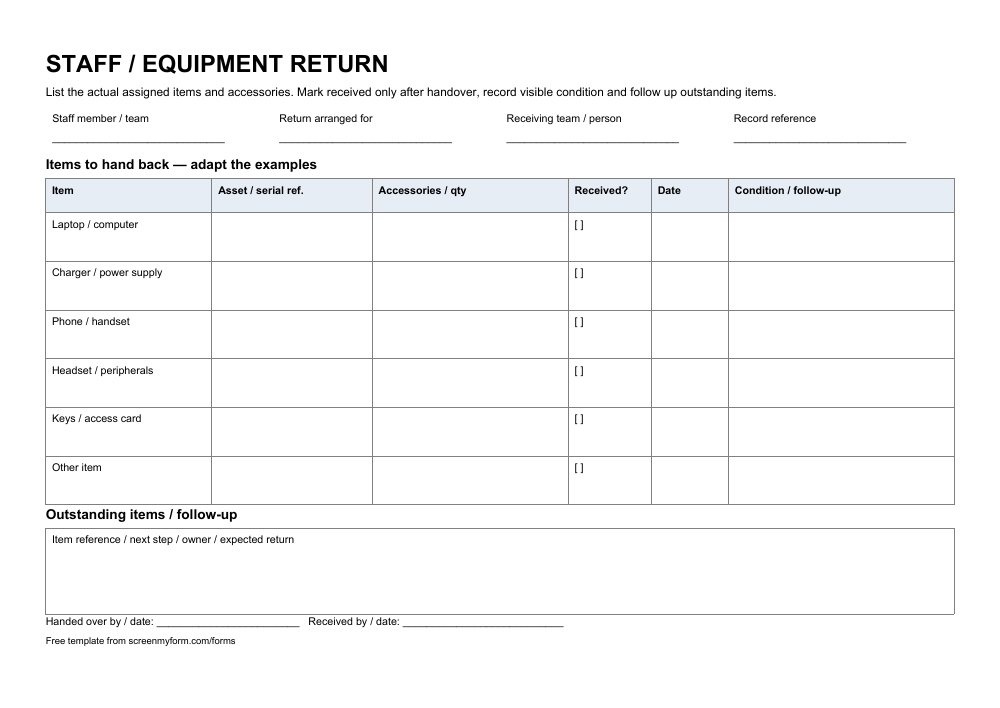
Give the staff member and receiving team one record of equipment handed back.
Use it when equipment is replaced, a loan ends or a colleague returns assigned items.
Edit the fields and wording, then type your answers or print.
Download PDFPrint and fill in by hand.
Free to use and adapt · 1 page · A4 landscape · No signup
What’s in the form?
- Staff member, team, return arrangement and receiver
- Six assigned-item rows with asset and accessory references
- Received status, dates and visible condition
- Outstanding returns and handover acknowledgement
Make it your own
Replace the example equipment rows in Word with the staff member’s actual assigned items. Include accessories and asset references. Record received items and visible condition, then assign an owner to any outstanding return or question.
Tired of mistakes in the forms people send you?
screenmyform.com checks completed Word and PDF forms for missing or unclear answers, then tells people what needs correcting before your team reviews them.